
Creating a WinSpeed Merge file for import into Hawkeye
Special thanks to Sonny Cangiarella
Some notes:
- The Race must be done and completed in the WinSpeed program.
- Hawkeye only imports one Station and one Race at a time.
- Only clocked birds are imported.
- The merge file has a .DAT extension and must be accessible by Hawkeye.
- Take a flash disk to the club, or have the file emailed to you.
Step 1
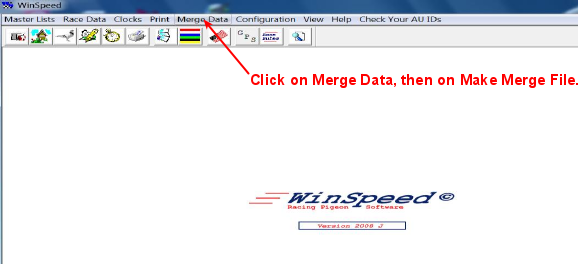
From within WinSpeed, click on Merge Data then click on Make Merge File.
Step 2
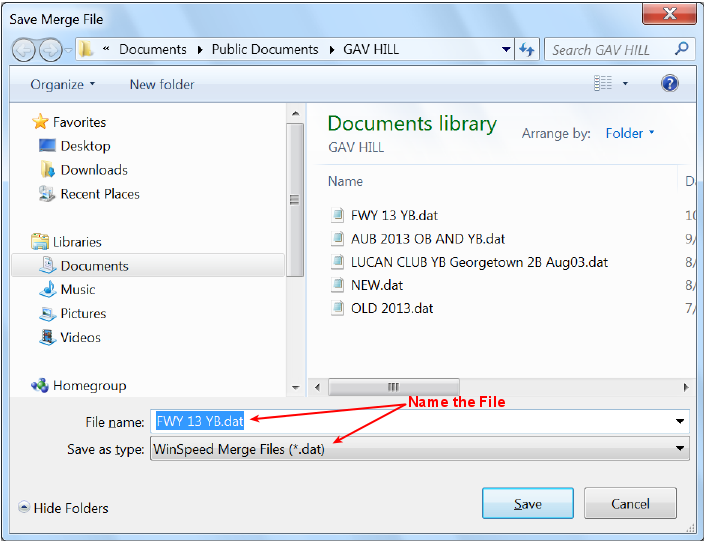
When clicking on Make Merge File, this window will open up. Name the file and click Save.
Step 3
After you click on Save, this Window opens up, highlight the race you want to merge into Hawkeye then click OK.

Step 4
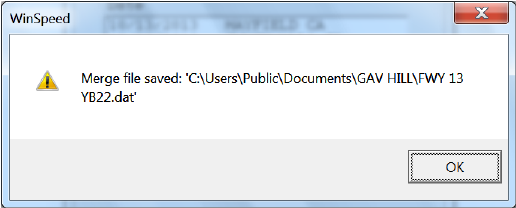
After clicking on OK, WinSpeed will show where the file was saved, Click OK.
--- oOo ---